Quick answer: Add the clips, arrange them in the desired queue order, turn on Join files and choose an output format. Click Convert to produce one combined video. Mixed dimensions, frame rates or edits may require encoding.
Recommended starting settings
| Setting | Start here | Why |
|---|---|---|
| Order | Arrange the queue before enabling the final export | The queue determines the combined playback order. |
| Output | MP4 · H.264 for a compatibility copy | Choose dimensions and frame rate for the complete result. |
| Join strategy | Auto for the initial test | The app checks whether compatible streams can be copied. |
| Mixed sources | Review normalized picture and sound | Encoded joins can handle differing video properties. |
Combine the queue in the right order
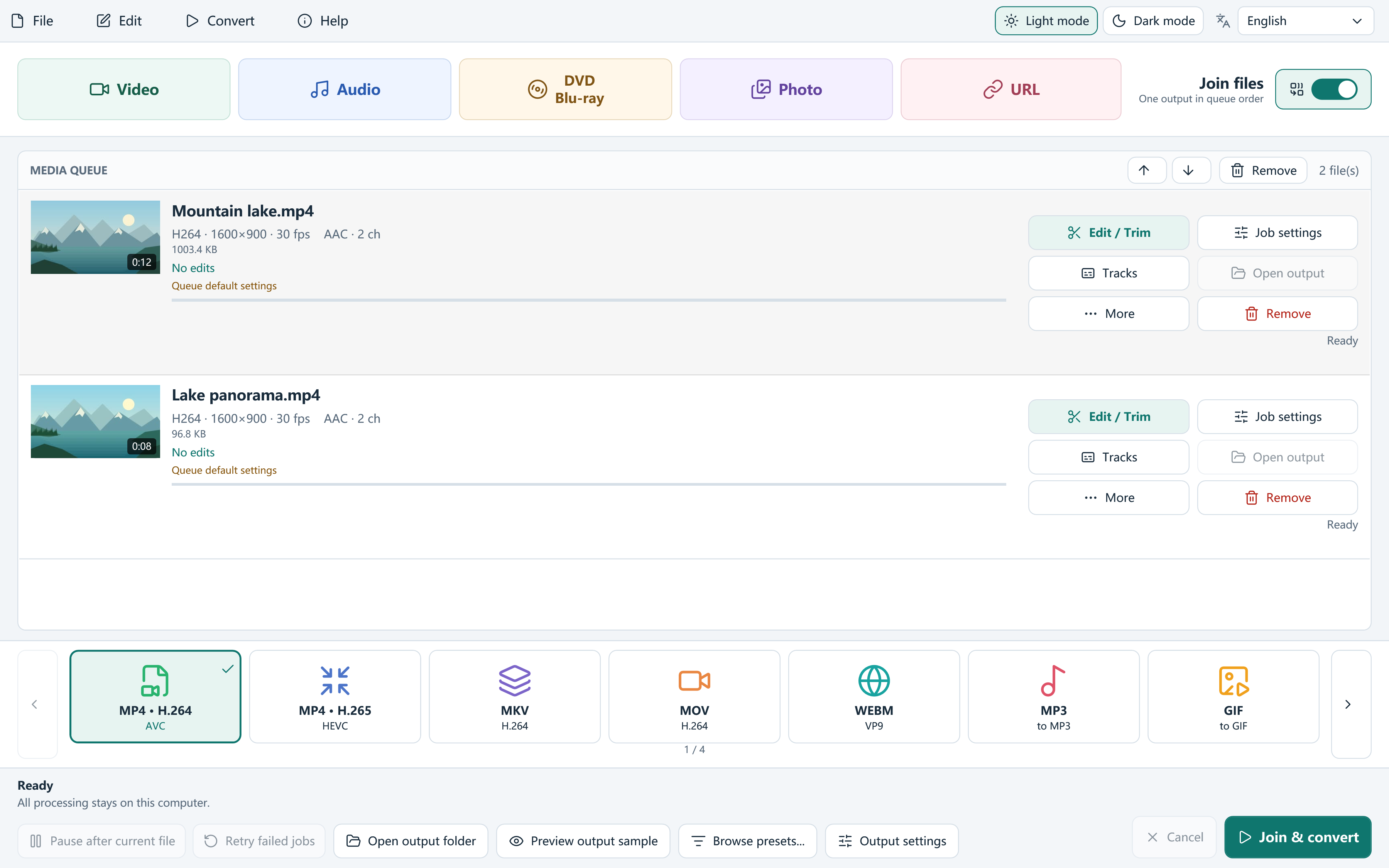
- Add at least two local video files to the media queue.
- Move queue items up or down until their playback order is correct. Trim individual clips first if necessary.
- Turn on Join files. Choose the output format, dimensions and frame rate for the combined result.
- Review the join strategy and audio tracks. Auto checks stream-copy eligibility; choose encoding when edits or normalization are required.
- Choose an output folder and click Convert. Watch each join point and listen for sound changes in the finished file.
Join different sizes, frame rates or silent clips
For mixed recordings, choose the canvas dimensions and frame rate deliberately. Encoding can normalize the inputs; a portrait recording and a landscape recording will not become the same shape without a framing decision.
Ordinary encoded video joins can provide silence for a silent clip in a mixed queue. This does not create missing speech or music. Check volume and language at every join point, especially if the source files contain multiple soundtracks.
When copying streams is possible
Eligible compatible clips can use stream copying instead of re-encoding. Matching codecs alone is not enough: the stream properties, track arrangement and requested edits must also be suitable.
Lossless only rejects an unsuitable copying job instead of silently promising a universally lossless merge. Use Auto or an encoded strategy when the clips need normalization, then inspect the result.
Frequently asked questions
Can I join different video formats?
Readable mixed inputs can be combined through encoding. Review output dimensions, frame rate and tracks for the complete video.
Does joining always preserve the original quality?
Stream copying is available only for eligible compatible inputs. Encoding changes the bitstream and uses the selected quality settings.
Will I get one file or one file per clip?
With Join files enabled, the queue is combined into one output. Leave it off for ordinary separate conversions.