Use AV1 for a known destination
AV1 can be useful when the destination supports it and you are willing to spend the encoding time to evaluate the result. Choose it for a deliberate delivery or archive plan, not merely because it is newer.
If you are sending a file to people with varied devices, compare a compatible H.264 MP4 as well. Keep the source while testing so you can make a different output without repeatedly compressing an already converted copy.
AV1 and MP4 describe different things
AV1 names the video codec; MP4 names the container. Free Video Converter offers AV1 video in MP4 with AAC audio. A player must understand both the video stream and the file arrangement, along with the source’s dimensions and other properties.
The format browser also includes other workflows such as WebM/VP9 and HEVC. These are choices with different playback requirements, not a ranked ladder in which every newer name improves every video.
Create an AV1 test before a full encode
Use a representative section with movement, dark areas and detailed textures. Keep the intended final resolution during the comparison.
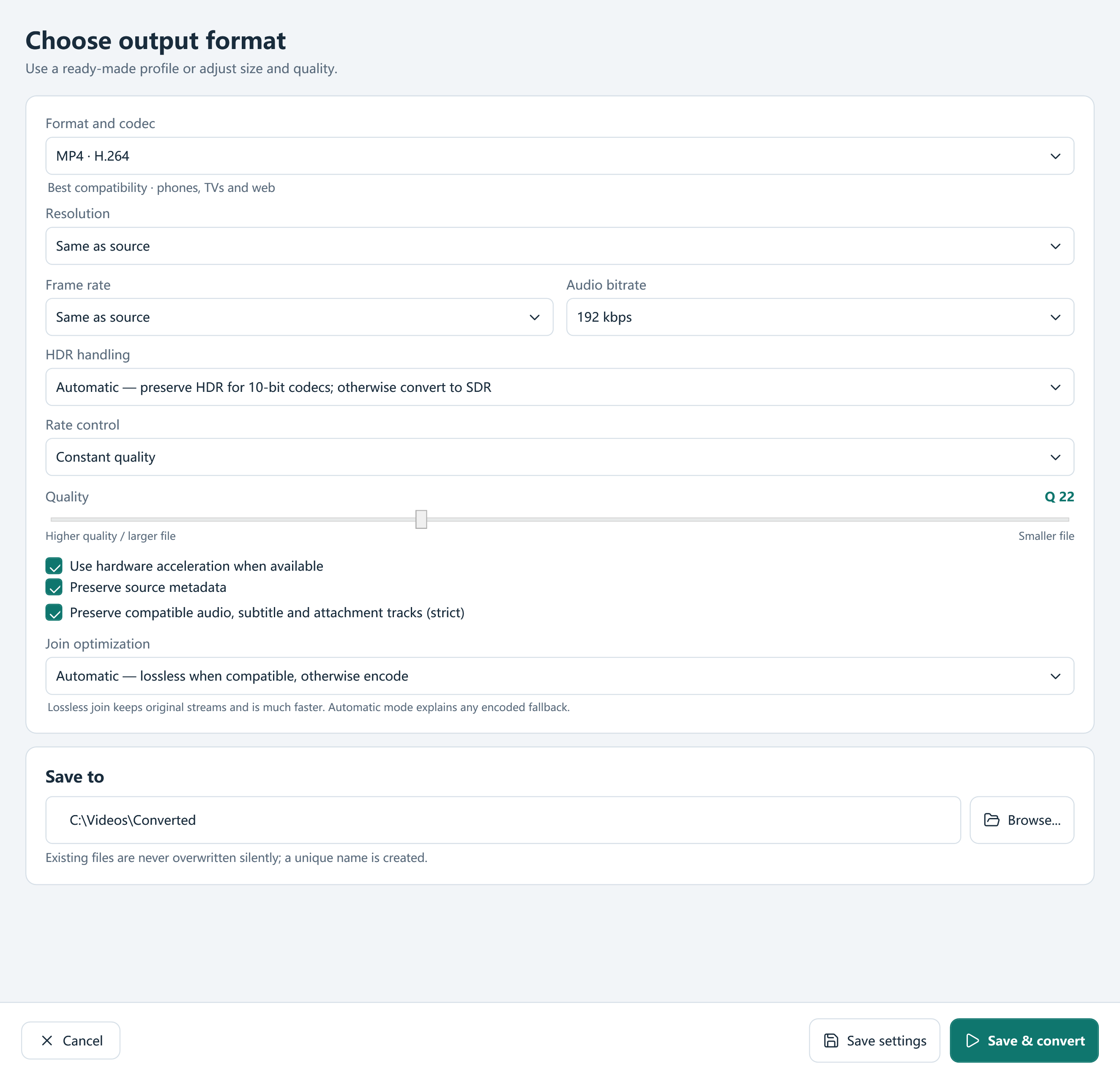
- Add the video and choose MP4 · AV1 or an appropriate AV1 profile in Browse presets.
- Choose source resolution or the required delivery size. Keep source frame rate unless the workflow needs another value.
- Review quality, audio and HDR handling. For a strict size budget, choose a supported size-control setup rather than assuming the default quality will fit.
- Preview the encoded sample and test playback in the destination app.
- Convert the complete file once the sample fits the task. Check the output duration, tracks and visual result.
Understand the hardware choice
The app probes encoder sessions per codec. Compatible AV1 hardware may be available through NVIDIA, Intel or AMD paths on suitable systems; a dedicated NVIDIA AV1 preset is also listed. Availability depends on the actual GPU, driver and settings.
Software AV1 encoding remains useful when no suitable hardware encoder is present, but it can be demanding. Avoid comparing times from different computers or quality settings as if the codec alone determined performance.
Preserve the right source information
A source-resolution AV1 profile can retain an existing high-resolution frame size, including suitable 8K sources. It does not enlarge missing detail through AI. Review HDR policy and track compatibility separately.
For archival work, preserve the original and consider what you may need later: selectable tracks, chapters, editing-friendly codecs or a mathematically lossless FFV1 workflow. A smaller delivery encode is a different goal from retaining every property of a master.
Frequently asked questions
Is AV1 the same as MP4?
No. AV1 is a video codec that this app can place in an MP4 container.
Will AV1 always be faster or smaller?
No universal result is promised. Source, quality settings, audio and encoder hardware affect both time and size.
Does AV1 output include AI enhancement?
No. Encoding with AV1 does not imply AI upscaling, restoration or frame interpolation.