Check the file before changing the computer
Make sure the copy is complete, non-empty and available locally. If it came from a camera, compare it with the original storage copy. If it came from a browser, finish or repeat the authorized download rather than converting a partial file.
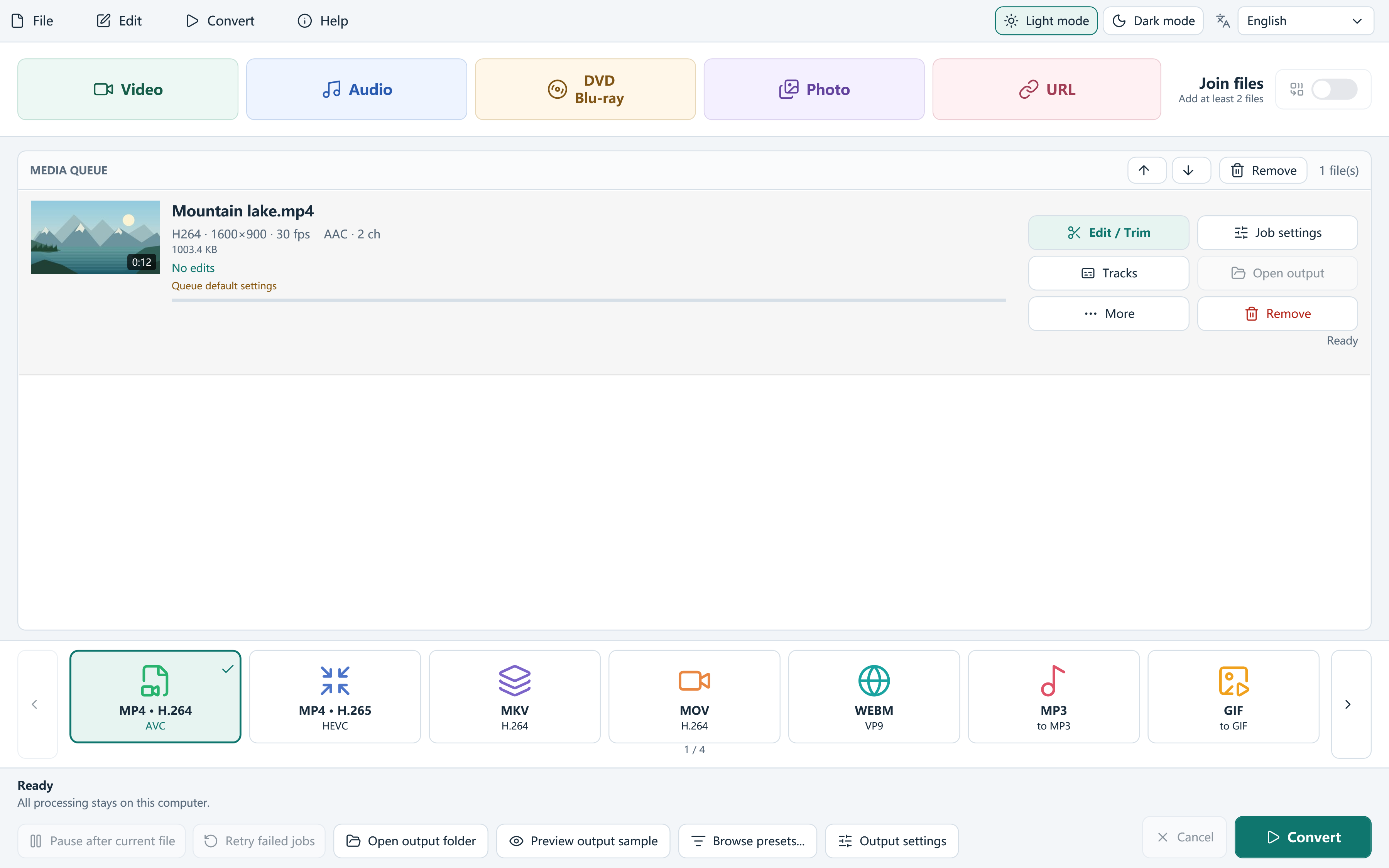
Try another known-good video in the same player. Then inspect the problem file in Free Video Converter: readable duration and stream information help distinguish a supported source from a file the tools cannot parse. No converter can promise to rebuild missing media data.
Check player support through official channels
A container extension does not identify every codec inside. Windows players can need a suitable codec extension for formats that are not included on that system. Use Microsoft’s current codec guidance and official distribution channels; do not collect unrelated codec packs as a first troubleshooting step.
Updating or repairing the player may solve a player-specific problem. If a particular file opens elsewhere, that is useful evidence about playback compatibility, but still check the whole recording for damage.
Make a compatibility copy when the source is readable
Conversion is useful when the source can be decoded but the destination does not support its current codec.
- Add the source to Free Video Converter and review the detected picture and audio information.
- Choose MP4 · H.264 for a practical compatibility test. Keep source frame rate and a suitable resolution.
- Select needed audio tracks, and use SDR tone mapping if your HDR recording needs a simpler delivery copy.
- Choose a separate output folder and Convert. Read the job log if processing fails.
- Test the completed MP4 in the original problem player and inspect the beginning, middle and end.
Let the symptom guide the next check
Sound with no picture can point toward the video path; picture without sound calls for a track and audio-codec check. A recording that stops at the same moment in several tools may contain damaged or missing data. Changing the extension does not address those causes.
If only the editing preview struggles, the app may create an optimized proxy. The final conversion still uses the original source; a proxy is not evidence that damaged media has been repaired.
Keep troubleshooting reversible
Keep the original file and make outputs alongside it. Use the signed current installer from this site and retain useful diagnostic logs. Signing identifies the publisher and protects file integrity; it does not diagnose a damaged recording or guarantee that every media file is safe.
Microsoft’s codec FAQ is a useful reference for supported player extensions and codec-pack compatibility concerns. Use those checks before making broad changes to your Windows setup.
Frequently asked questions
Does 0xc00d36c4 always mean HEVC is missing?
No. Do not identify one cause from the code alone. Check the actual file, its readability and the player’s supported media.
Will renaming the extension fix it?
No. Renaming does not change the encoded streams or reconstruct incomplete data.
Can conversion fix every corrupt video?
No. It can create a compatible copy of readable media; it cannot guarantee recovery of missing or damaged footage.