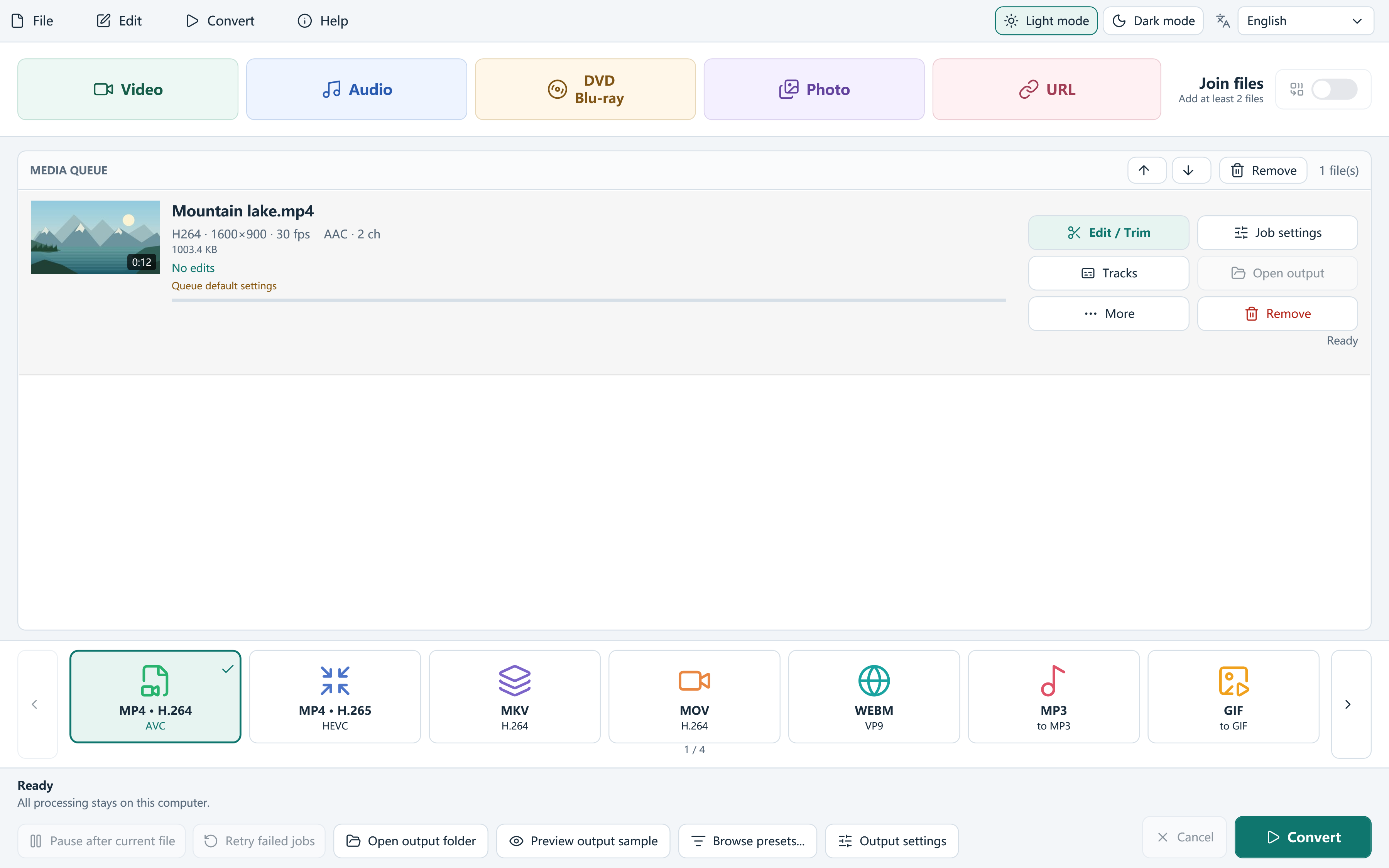
Quick answer: This download is Free Video Converter 8.1.0, an independent Windows conversion app. If you need Digiarty Winxvideo AI, use that developer’s official website. The name of this domain does not make the two products the same.
Which workflow are you looking for?
| Your task | Where to start | What this download provides |
|---|---|---|
| Convert MKV/MOV/AVI/WebM to MP4 | Free Video Converter | Local format conversion and output settings. |
| Trim, join or extract MP3 | Free Video Converter | Timeline edits, queue joining and audio presets. |
| AI upscaling, restoration or generated frames | Check Digiarty’s current official product information | These are not features of this Free Video Converter release. |
| Find your existing Digiarty license or support | Use Digiarty’s official website | This independent website cannot manage another developer’s purchase. |
Choose the workflow before the product label
Free Video Converter focuses on local conversion, quality and size controls, trimming, joining, audio/subtitle selection and disc authoring. It adds no product watermark. If you need a playable MP4, a smaller delivery file or several retained segments, those are concrete workflows to evaluate.
If your requirement is AI restoration, generated detail, motion interpolation or AI captions, this release is not presented as a substitute. Those capabilities are not included in our conversion app.
Conversion and AI enhancement are different goals
Digiarty’s official Winxvideo AI page describes AI enhancement tools alongside conversion and other media functions. Check that vendor’s current edition, requirements and terms for the exact tools you need. We do not reuse its speed claims, test results or product identity.
Our app offers explicit output presets, an editable queue, tracks, an encoded sample comparison and target-size settings. These can make a routine conversion easier to inspect, but a feature list alone does not prove which product produces your preferred result.
Compare with a short test you can reproduce
Use your own source, a clear destination and the same intended output properties. A side-by-side test is more useful than a format-count contest.
- Choose a source with motion, fine texture, skin tones, sound and any subtitles you actually use.
- Set the destination resolution, frame rate, codec and relevant track choices in each application.
- Compare a short encoded result, then check a complete file for duration, synchronization and subtitle behavior.
- Record the computer, encoder and settings if you compare time or output size.
- Review the current download, installer choices, privacy information and support documentation before making a decision.
What the free workflow includes
Free Video Converter provides video/audio conversion, trim ranges, visual crop, PNG watermark placement, picture and sound adjustments, subtitle editing, batch presets and projects. DVD output can include interactive menus; Blu-ray output uses a continuous playlist with chapters.
The conversion app processes local files on your PC. Setup may offer a separate optional RelevantKnowledge research application; read its own terms and choose Agree or Decline. Declining that offer continues the main app installation.
Use current official product information
For Free Video Converter, use this site’s feature reference, release notes and signed download details. For claims about Winxvideo AI, use Digiarty’s official product page rather than treating this independent domain as the vendor.
Avoid choosing a tool solely from a promised speed multiplier, an unexplained rating or the word AI. Match the feature to your actual source and destination, then keep the original while you evaluate the output.
Frequently asked questions
Is winxvideo.com the official Winxvideo AI website?
No. This site provides the independent Free Video Converter and is not affiliated with Digiarty Software.
Does this app include AI enhancement?
No. This release does not include AI upscaling, restoration, interpolation or automatic caption generation.
Which option should I use?
Choose according to the specific workflow, then test your own source. No universal ranking is claimed here.